How to access the system
You can reach the official online arrival card system in the following ways:
Scan the QR code on mobile
Scan the QR code below to open the official form:

Mobile web
Open the official URL in your phone’s browser: https://s.nia.gov.cn/ArrivalCardFillingPhone/
Desktop (PC) web
Open the official URL in your computer’s browser: https://s.nia.gov.cn/ArrivalCardFillingPC/
Desktop filling steps
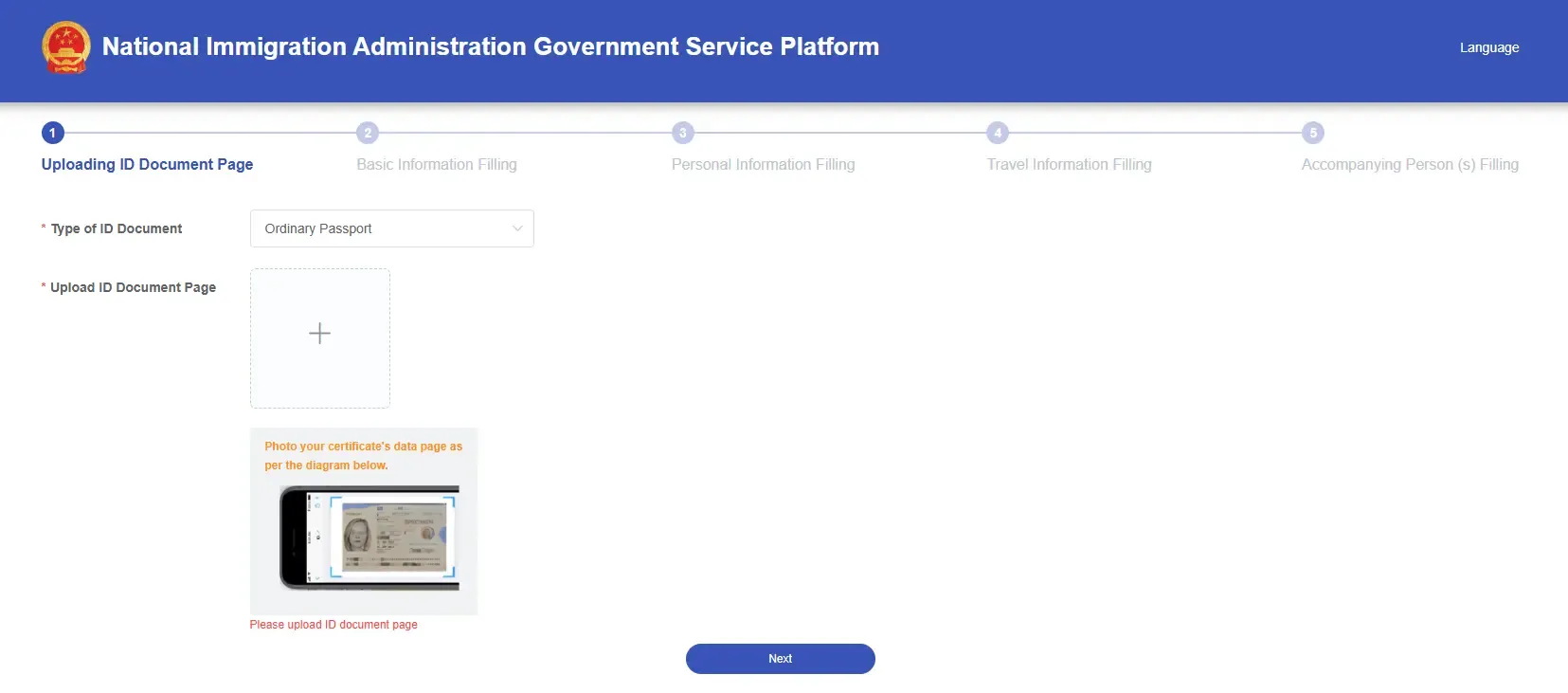
Step 1: Upload your ID document page
Choose the document type and upload a photo of your passport’s data page; to change it, click the image again to re-upload.
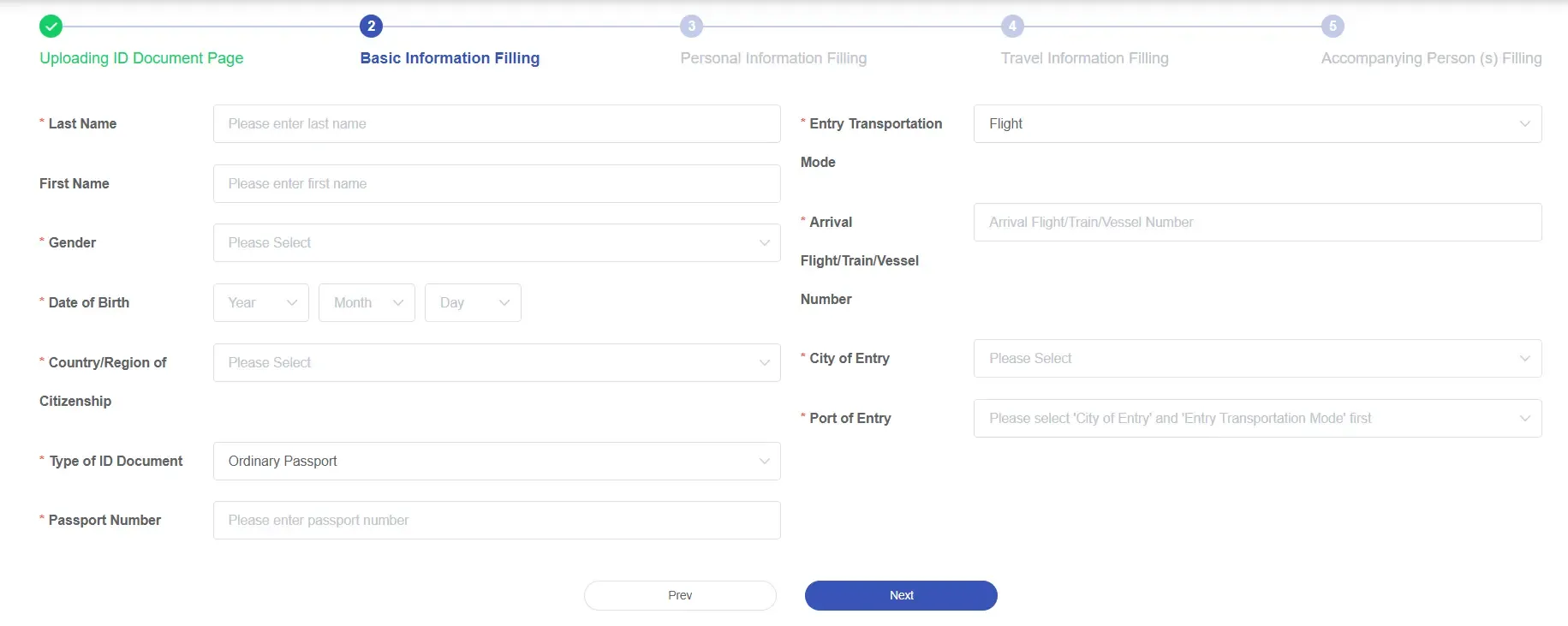
Step 2: Basic information
Check that the details are correct, fix any errors, then fill in your arrival details such as the mode of transport.
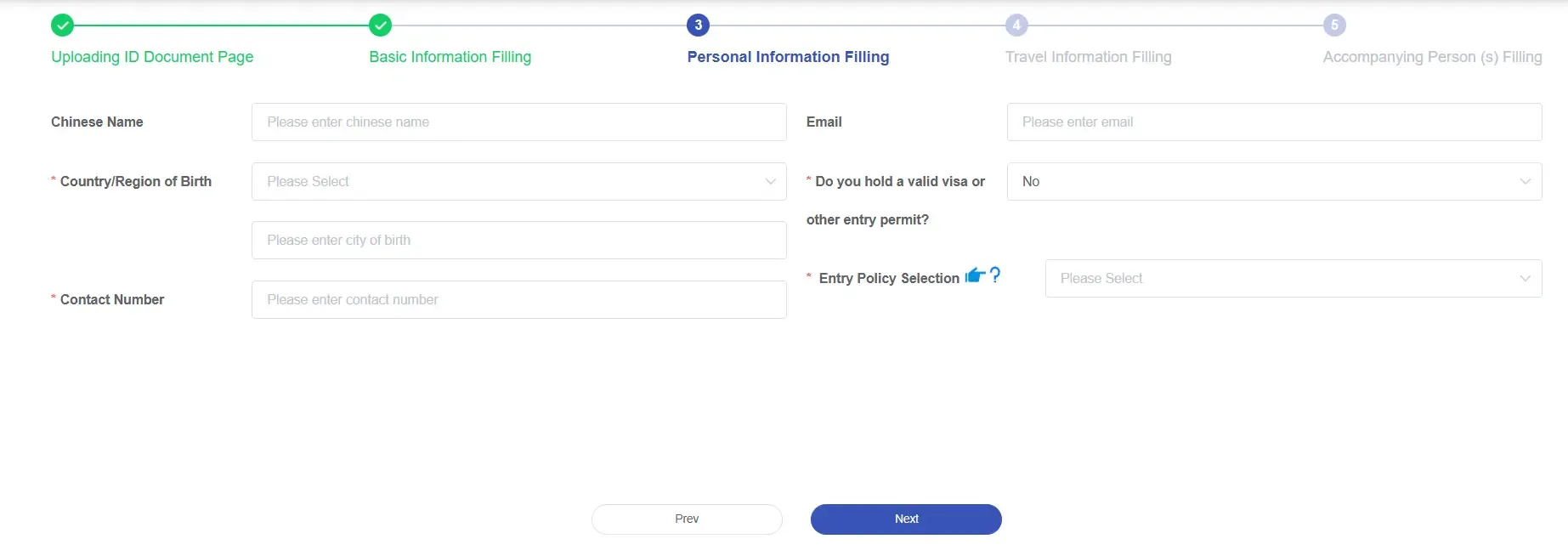
Step 3: Personal information
Keep filling in your personal information. The system will list the entry policies you qualify for based on what you enter, for you to choose. If you hold a valid visa, enter the visa number; for 24/240-hour visa-free transit, fill in whether your travel document is lost or stolen.
Step 4: Travel information
Fill in your trip details. Fields marked with * are required.
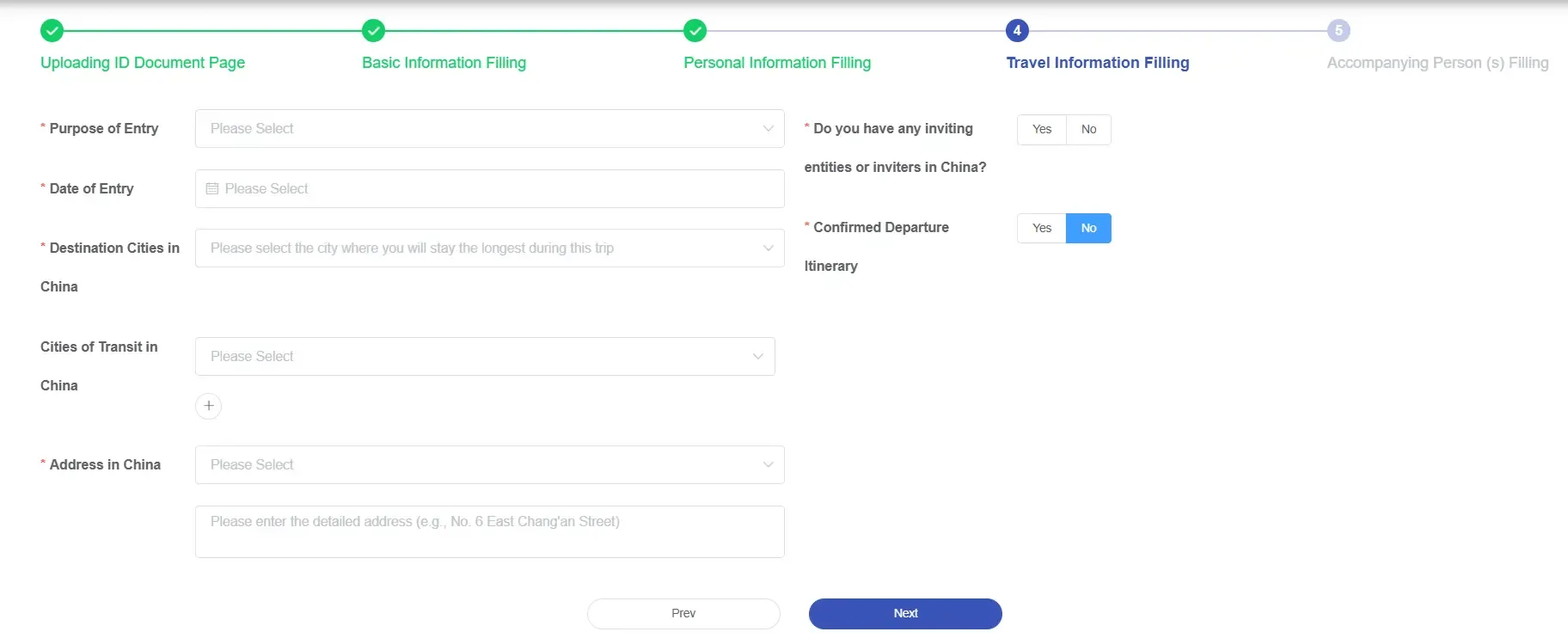
After you finish, click Next and an “add companion” dialog will appear; click Yes to add companions.

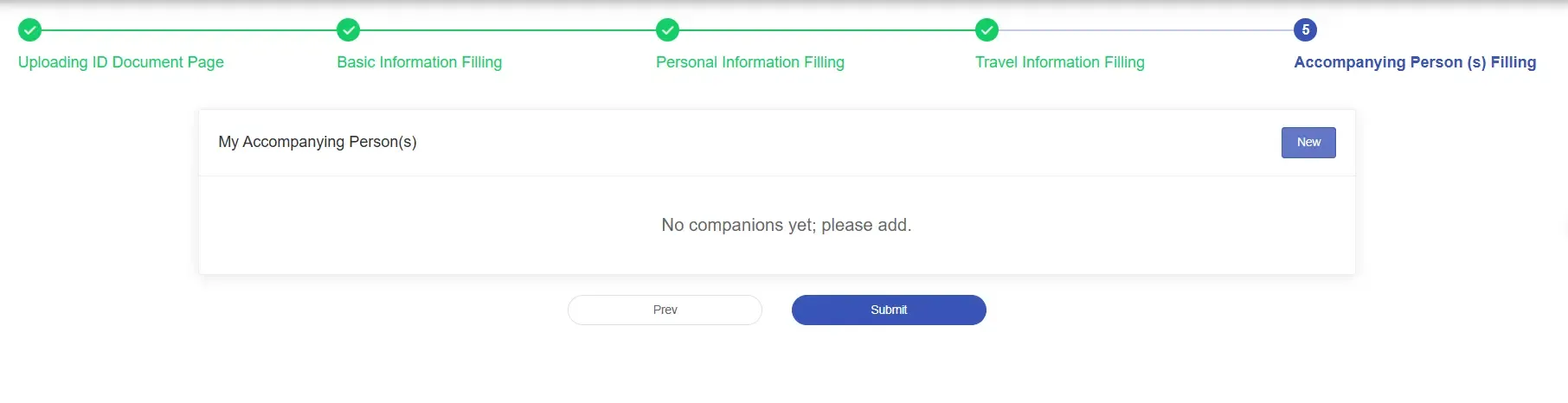
Step 5 (optional): Add companions and submit
Click New to add a companion.
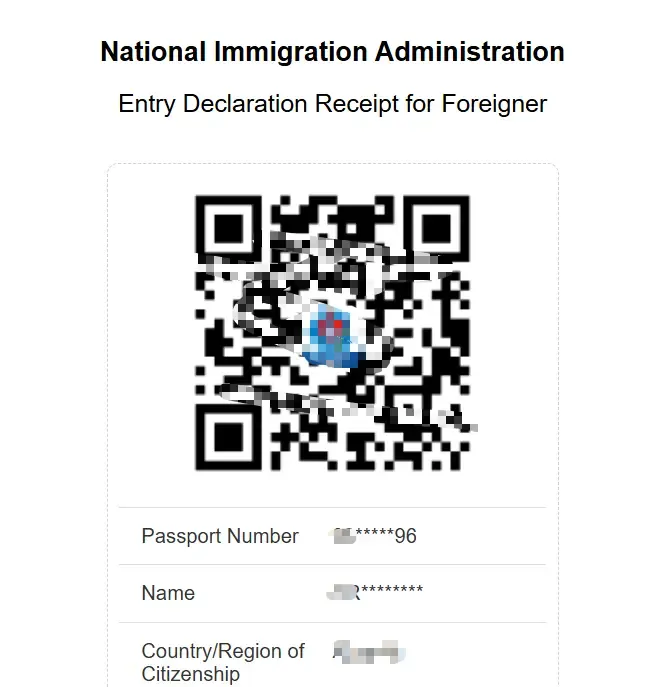
Step 6: Save the QR code / download the PDF receipt
Once everything is correct, submit. You can save the QR code and download the receipt PDF, or send it to a specified email address.
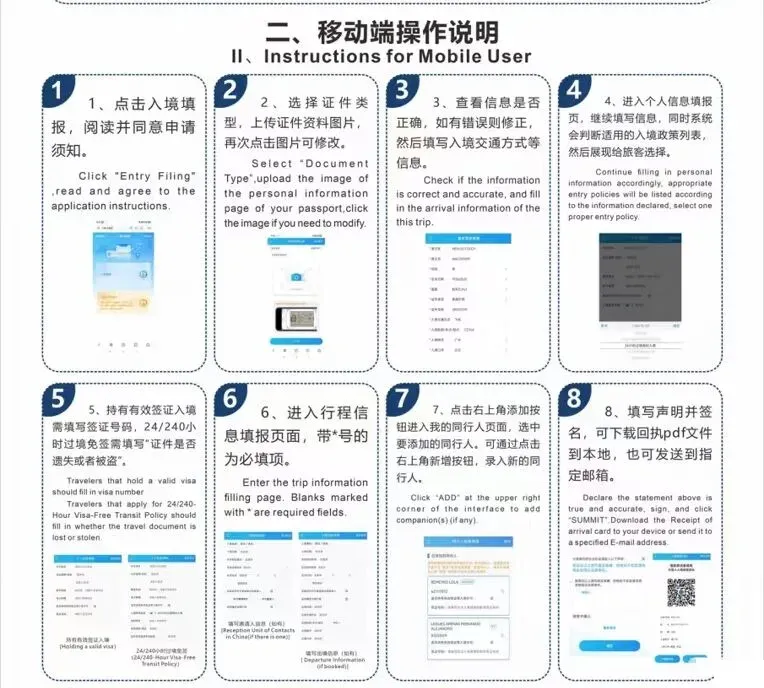
Mobile filling steps
For mobile, refer to the image below: